




Via tenting means requesting solder mask coverage over a via on one or both board surfaces. It does not mean filling the hole or creating a flat, solderable pad over it. Choose coverage according to what that via must do: carry a connection, accept a probe, remain accessible for rework, or sit inside a component pad. Then confirm that the exported mask data and the fabricator’s process agree.
A checkout option labelled “tented” is not enough information to settle every case. The useful question is: Which vias need which surface condition, on which side, and how will we verify it before fabrication?
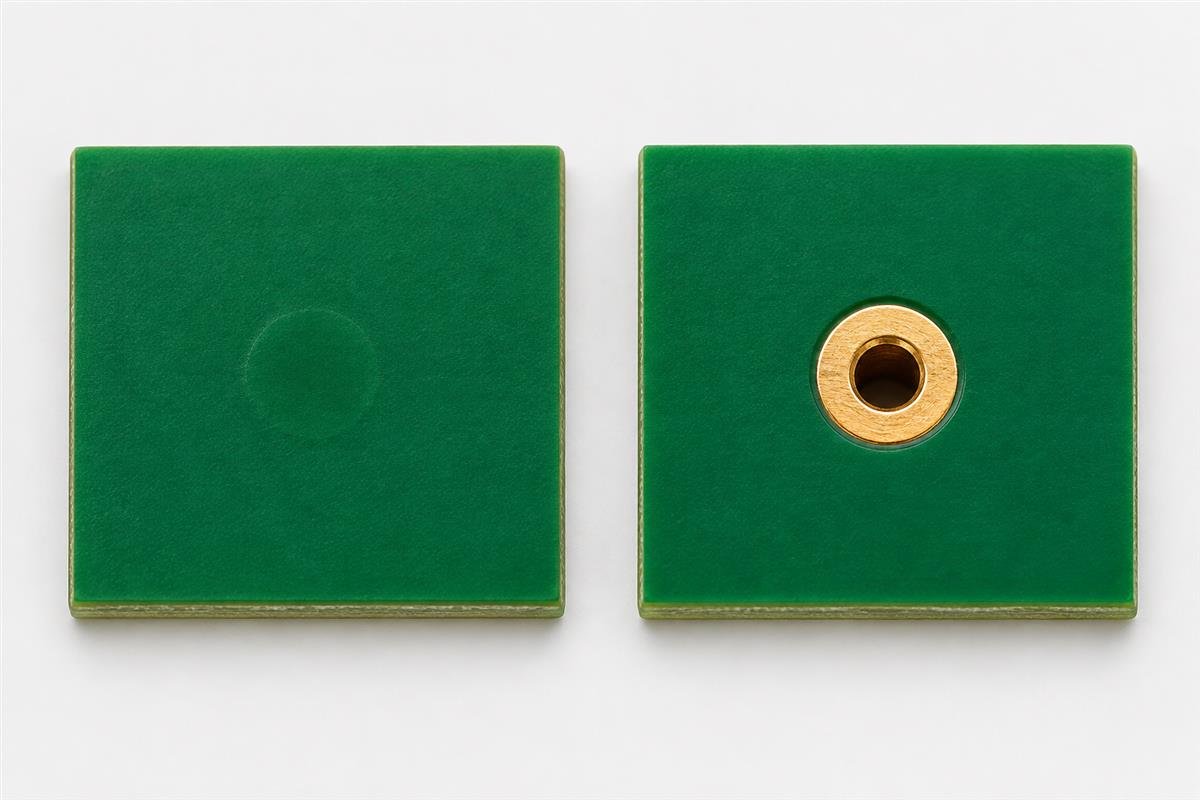
What Does Via Tenting Specify?
Tenting describes surface coverage, not the electrical connection through the board. The plated barrel still connects copper layers. Start by separating the desired outside appearance from the required hole treatment.
| Requested condition | What it means | What still needs confirmation |
|---|---|---|
| Tented via | Solder mask is intended to cover the via surface opening. | Side, hole size, process capability and acceptable coverage. |
| Open or untented via | The mask artwork exposes the intended via area. | Opening size and whether the exposed area is suitable for probing or soldering. |
| Filled via | A specified material occupies the hole. | Fill material and any additional surface treatment. |
| Filled and copper-capped via | Hole filling and a copper surface are specified as separate fabrication requirements. | Pad finish, planarity and assembly requirements. |
These are not interchangeable order descriptions. Eurocircuits’ explanation of via protection distinguishes tenting, plugging and filling, and describes filling followed by a uniform pad surface for via-in-pad applications. Its process choices are its own, not a statement of every supplier’s capability.
Which Vias Should Stay Open?
Keep a via accessible when its surface has an intentional assembly, test or repair function. Do not change every via to the same mask setting merely to make the board look consistent.
For example, a routing via away from solder joints has a different job from a designated test contact. A test engineer needs a defined contact location and usable exposed area, not just a visible hole. If probing matters, identify that requirement explicitly and consider a dedicated test pad instead of assuming a small via is adequate.
Vias inside an SMD pad need a separate assembly decision. Solder loss into an open hole is a different problem from exposed copper elsewhere on the board. Review the land pattern and assembly process before choosing filling and capping, changing the layout, or accepting a documented prototype compromise. A mask coverage checkbox alone does not specify a flat soldering surface.
For vias beneath an exposed thermal pad, follow the component manufacturer’s land-pattern and assembly guidance. Do not apply a generic “tent everything underneath” rule: the package, paste pattern, hole arrangement and assembly process must be considered together. Include this question in your PCB assembly review.
Why Can a Tented Via Still Look Open?
A CAD request is not a guarantee that a particular mask process can bridge the hole. Also, a nearby pad’s mask opening may expose the same area even when the via itself has no separate opening.
| Observation | Check first | Next action |
|---|---|---|
| Via appears exposed in exported artwork | Both mask layers and overlapping pad openings | Correct the geometry or explain the intended exception. |
| Order viewer disagrees with CAD | Uploaded revision, viewer layer selection and order setting | Ask for confirmation of the final production mask data. |
| Received via has incomplete coverage | Agreed coverage requirement and supplier process limits | Compare with the approved specification before accepting or rejecting it. |
| Solder joint near a via is deficient | Pad/via geometry and assembly evidence | Investigate solder escape and paste delivery; do not diagnose from mask colour alone. |
A concrete example of process dependence is Eurocircuits’ spray-coated solder mask guidance: it explains that its low-viscosity process requires filling for fully tented holes and otherwise opens holes under its stated rules. Do not copy that supplier’s numerical limits into another factory’s drawing. Ask your selected fabricator for the limits that apply to your mask and hole specification.
Likewise, do not treat a green surface as proof of an environmental seal. If exclusion of contamination or moisture is a functional requirement, specify and qualify that requirement separately.
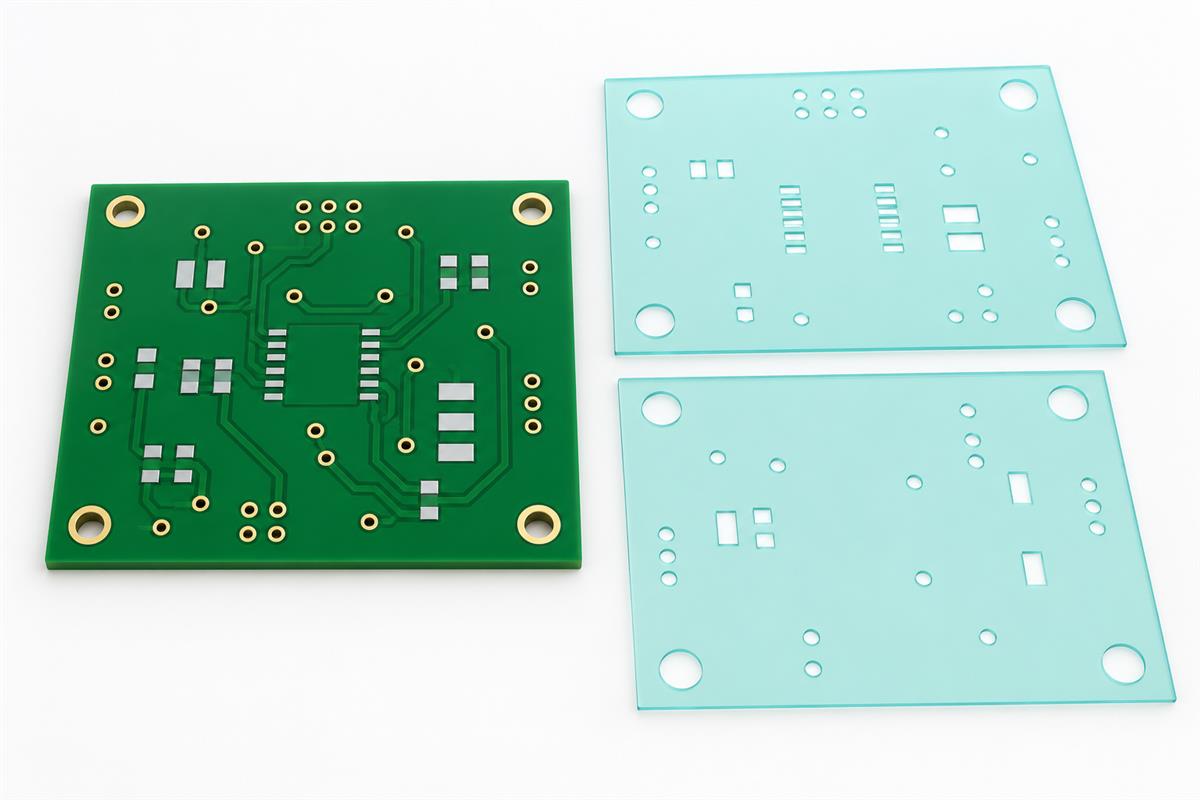
How Do You Check Front and Back Mask Data?
Inspect the exported fabrication files, one surface at a time, with copper and drill data available for comparison. A 3D board view is a useful orientation aid, but it is not the release record.
- List the exceptions. Mark test contacts, solderable locations, via-in-pad features and any side-specific requirement before changing global settings.
- Set the CAD rules deliberately. In KiCad 9, via properties provide separate front and back tenting controls. Each can inherit the board rules or explicitly request tented or not tented; the link control can keep the two sides together. See the KiCad 9 PCB Editor manual for version-specific behaviour.
- Export a fresh, single revision. Include both mask layers, copper and drill files. Do not combine yesterday’s mask output with today’s routing revision.
- Open the exports in a Gerber viewer. Toggle front mask, then back mask. At each exception, compare the opening with the copper feature and drill position. Check the viewer’s polarity convention before interpreting a coloured region as material.
- Resolve conflicts before approval. If a portal option, drawing note and Gerber disagree, ask which data will drive production and obtain a corrected or confirmed preview.
Worked example: a board has routing vias V1-V20, a bottom-side test location V21 and a via V22 within a component pad. Record V1-V20 as the ordinary coverage group, V21 as a bottom-access exception, and V22 as a separate assembly/fabrication question. Inspect all three groups in the export. One successful check on V1 does not verify V21 or V22.
What Should Go in the Fabrication Handoff?
Send a small via-treatment map with the fabrication package so that the reviewer can identify exceptions without guessing from a screenshot.
| Release item | Information to provide | Approval question |
|---|---|---|
| Revision | Board name, revision and matched Gerber/drill set | Is this the exact set being manufactured? |
| Coverage | Top/bottom requirements and marked exceptions | Does final mask artwork preserve each exception? |
| Geometry | Finished hole sizes, pad locations and stackup | Can the selected process achieve the requested condition? |
| Assembly | Via-in-pad locations, component references and test access | Is a different hole treatment or layout change required? |
| Acceptance | Required coverage and any agreed inspection evidence | What condition is acceptable on the delivered board? |
Use this checklist alongside broader DFM and DFA release checks. Keep via coverage as a named decision, rather than burying it in a general “manufacture to files” note.
Need a review before ordering? Contact PCBtry with the Gerbers, drill files, stackup and marked via exceptions. Include the component references for any via-in-pad features and describe which side must remain accessible. Ask for confirmation of the proposed treatment before approving the build.
Via Tenting Questions Before Release
Does tenting fill the via?
No. Coverage over a surface opening and material filling a hole are different requirements. Name the intended treatment explicitly.
Will tenting cover an entire SMD pad?
Inspect the combined mask artwork at that pad. A via setting does not tell you whether another opening overlaps it. The component’s solderable land must remain consistent with its assembly requirements.
Can I tent only one side?
CAD tools may support independent sides, as KiCad 9 does. Confirm that the exports show the intended difference and that the fabricator accepts the request.
What is the maximum hole size for tenting?
There is no supplier-independent number to use here. Obtain the applicable limit and coverage expectations for the chosen mask process.
Does the checkout setting override my Gerbers?
Do not assume a universal precedence rule. Ask the supplier to resolve the conflict and confirm the production data before release.
Can I use an untented via as a test point?
Only if its geometry, access and contact surface meet the test setup’s needs. Agree those needs with the test engineer; a dedicated pad may be more practical.
Does green coverage prove the hole is sealed?
No. Appearance alone does not establish sealing performance. Keep functional protection requirements separate from ordinary mask appearance.
What if the delivered board differs from the preview?
Record the board revision and affected locations with clear photos, then compare them with the approved mask data and acceptance agreement. Request an engineering disposition before assembly if soldering or test access is affected.
Before your next build, send PCBtry the fabrication files and via-treatment map so the requested coverage, access exceptions and assembly questions can be reviewed together.



0 Comments