




Good high-speed PCB layout starts with the signal’s edge rate, an agreed stackup and a continuous return path. Then turn the interface requirements into routing constraints, check electrical delay rather than length alone, and verify the complete connection through vias and connectors before releasing fabrication files. A clock frequency by itself does not tell you whether a trace can be treated as a simple wire.
This guide focuses on digital interfaces. Its worked numbers are illustrative assumptions, not universal limits for USB, DDR, Ethernet or another interface. Use the applicable device documentation and interface requirements for the actual acceptance limits.
When Does a PCB Trace Need High-Speed Treatment?
A trace needs transmission-line attention when its propagation delay is significant compared with the fastest signal transition traveling along it. Think of the trace as a path that takes time to carry a change, not as a connection that changes voltage everywhere at once.
Clock frequency tells you how often an event repeats. Rise or fall time tells you how quickly each edge changes. A relatively slow clock can still have sharp edges. Those edges can reflect at an impedance discontinuity, causing ringing or an extra threshold crossing even when the clock period looks generous.
For a first estimate, multiply route length by propagation delay per unit length:
One-way flight time = route length × delay per unit length
Suppose a preliminary stackup estimate gives 6 ps/mm and a route is 80 mm long. The one-way flight time is 480 ps, or 0.48 ns. If the driver changes state in 0.5 ns, propagation along that route clearly cannot be ignored. This is a screening example, not a pass/fail threshold: termination, receiver loading, topology and the allowed waveform all matter.
Find edge-rate information in the driver documentation or a suitable simulation model. If it is unavailable, record that uncertainty instead of using the clock period as a substitute. TI’s High-Speed Layout Guidelines explains how transmission-line behavior and delay depend on board geometry and dielectric properties.
Turn Interface Requirements into a Constraint Sheet
Before routing, write down what each signal group must satisfy, where each limit came from, and how you will check it. A constraint without a source is a guess; a constraint without a verification method is easy to miss at release.
Begin with the exact transmitter, receiver, operating mode and board topology. For source-synchronous interfaces, distinguish data-to-strobe or data-to-clock relationships from differential-pair skew. For serial links, distinguish a pair’s internal mismatch from the total channel requirements. These are different checks.
| Constraint | Record before layout | How to verify |
|---|---|---|
| Impedance | Single-ended or differential target, tolerance, layer and reference plane | Approved stackup calculation; agreed fabrication coupon and measurement requirements |
| Timing or skew | Signal group, allowed mismatch, units, endpoints and included package delays | Complete-path delay report, not just a selected copper segment |
| Length and channel loss | Device/interface limits, connector contribution and operating mode | Route report and channel analysis where required |
| Topology and termination | Point-to-point, fly-by or other required arrangement; termination locations | Schematic-to-layout inspection against the device guide |
| Spacing and coupling | Required isolation, relevant layer geometry and sensitive neighbors | Rule checks plus analysis for critical coupled routes |
| Vias and layer changes | Allowed transitions, actual via depth, reference changes and stub treatment | Layer-by-layer review and channel model when needed |
Do not copy one interface’s numerical rules to another. TI’s High-Speed Interface Layout Guidelines includes interface-specific guidance; its values need to be read with their associated device and interface context.
A useful rule-entry format is: net group → limit → source and revision → CAD rule → verification report. If the datasheet and an older application note disagree, resolve the conflict with the device supplier before signing off the layout. Do not silently choose the easier value.
Choose the Stackup Before Calculating Trace Width
Trace width is an output of the required impedance and physical stackup, not a universal number attached to a signal name. Agree the layer arrangement and practical dielectric thicknesses with the fabricator before committing to dense routing.
Characteristic impedance describes the voltage-to-current relationship of a traveling wave. It is not the copper trace’s DC resistance. A multimeter therefore cannot confirm that a route is a 50-ohm transmission line.
Width, copper thickness, distance to the reference plane and dielectric properties all affect impedance. Differential geometry also depends on the separation and coupling between the two traces. Surface and internal traces do not necessarily have the same propagation delay, even when their drawn lengths match.
- Assign reference planes. Identify the continuous reference for each critical routing layer and the intended return-current connection at transitions.
- Obtain a manufacturable stackup. Confirm the proposed material construction, finished copper assumptions and dielectric thicknesses rather than relying on a generic CAD default.
- Calculate the routing geometry. Use an appropriate field solver or the fabricator’s controlled-impedance proposal, with the same layer and material assumptions.
- Agree what may change. Document whether the fabricator may adjust trace width, and require review where adjustments affect pair spacing, clearances or component escape routing.
Finished geometry matters. The PCB etch factor and CAM compensation guide explains why artwork width and finished copper width need not be identical. Do not approve an impedance calculation based on one geometry and release fabrication data based on another.
Place Components Around Continuous Return Paths
Place the parts so that each critical signal can follow a short, understandable route over a continuous reference, with its return current able to stay close. The shortest visible copper line is not necessarily the best electrical connection.
Current flows in a loop. At high frequencies, return-current distribution is strongly influenced by inductance and the nearby reference structure. A slot or split under a signal can force that return current to detour, increasing loop area and coupling. Routing neatly across a plane split does not repair the interrupted return path.
Start with fixed connectors and major ICs, then check the routes that have the least timing or channel margin. Position termination components according to the chosen topology. Keep switching-power hot loops and other strong aggressors away from sensitive routes where practical; do not rely on one spacing multiplier as a universal guarantee.
For decoupling, inspect the whole loop through the capacitor, power connection and ground return. A capacitor that looks close to a pin can still have a long, inductive connection through poorly located vias. Values, quantities and placement priorities should come from the device’s power-delivery requirements.
Practical inspection: display the signal layer and its reference layer together. Follow the route from pin to pin. Look for plane edges, voids around connectors, antipad clusters and changes of reference. A two-dimensional trace screenshot alone can hide these interruptions.
Check Timing with Delay, Not Just Equal Length
Match the electrical paths that the interface actually compares, using the specified timing budget. Equal drawn lengths are only a useful proxy when the relevant propagation conditions and other delay contributions are sufficiently alike.
For a simple path model, sum each routed section’s length multiplied by its delay per unit length. Add package, via and connector contributions when they are relevant to the timing definition and available model. Keep all terms in compatible units.
Path delay = Σ(section length × section delay per unit length) + other included delays
A worked mismatch budget
Assume an interface permits 50 ps of total relative skew for a particular group. For this teaching example, reserve 15 ps for non-trace mismatch and 10 ps for uncertainty and margin. That leaves 25 ps for routed-trace mismatch. These allocations are invented demonstration inputs, not a device specification.
| Budget item | Illustrative value | Meaning |
|---|---|---|
| Total allowed relative skew | 50 ps | Must come from the actual interface timing analysis |
| Other mismatch allowance | 15 ps | Package and other included non-trace contributions |
| Uncertainty and margin | 10 ps | Explicit reserve, not hidden extra routing allowance |
| Remaining trace mismatch | 25 ps | 50 − 15 − 10 |
| Assumed same-layer delay | 6 ps/mm | Replace with the approved stackup’s value |
| Equivalent length mismatch | About 4.2 mm | 25 ps ÷ 6 ps/mm; only valid for these assumptions |
Now consider two 50 mm routes. At an assumed 6 ps/mm, one contributes 300 ps; at an assumed 7 ps/mm, the other contributes 350 ps. Their lengths are equal but their delays differ by 50 ps. This is why moving one path to a different routing layer can invalidate a length-only check.
Check the units your CAD rule uses. One millimetre is approximately 39.37 mil; one mil is 0.001 inch, not one millimetre. Also check whether the report includes only a net, a pin-to-pin path through a series component, or a complete interface path.
Do not tune the wrong relationship
A differential pair’s internal skew, a data group’s skew to its strobe, and a clock’s intentional delay are not interchangeable. Do not force every signal on the board to the same length. Correct local pair mismatch where appropriate to the interface guidance, and avoid adding tightly coupled meanders simply to make a total-length counter green.
RGMII is a useful warning: delay can be implemented inside the MAC or PHY, or by the PCB, depending on the design. Adding PCB delay without checking the configured internal delay can produce the wrong timing. Microchip’s VSC8211 layout guidance illustrates this device-specific decision; use the documentation for your actual MAC and PHY.
Review Vias, Connectors and Reference Changes Together
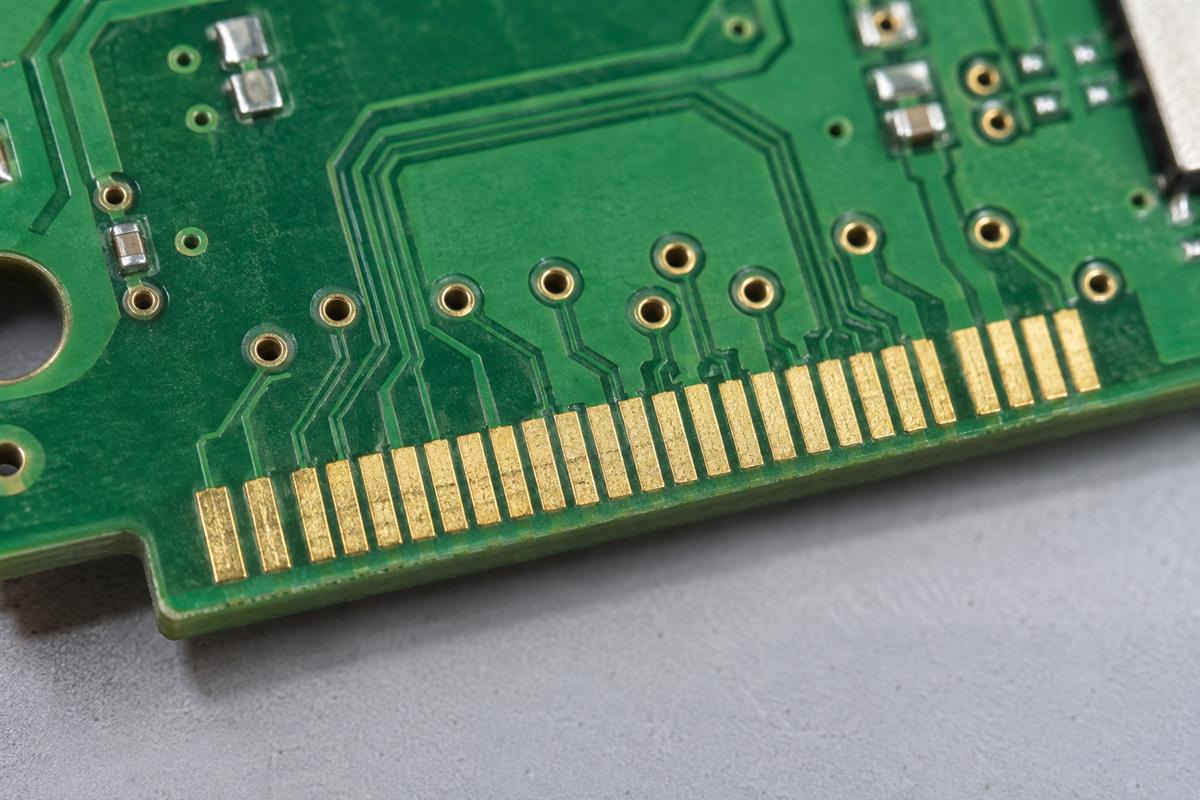
A layer transition must preserve both the intended signal channel and a suitable return-current path. Counting signal vias is not enough: inspect what each via connects, what remains unused, and which reference structures the signal uses before and after it.
The via section traversed by the signal adds to the path. An unused extension can form a stub. These are different effects. A through via connecting the top layer to an inner layer does not mean the entire barrel is part of the traveled signal length; the remaining barrel still matters as a discontinuity.
- Same ground net on both references: nearby ground stitching vias can provide a return connection between those reference planes. Placement depends on the geometry and applicable guidance.
- Different reference nets: a ground via alone does not connect two different reference nets. Prefer an arrangement that maintains an appropriate reference; any reference-transfer strategy needs deliberate analysis. Never short power and ground planes together.
- Connector breakouts: review pads, antipads, reference voids, pair separation and launch geometry, not just the long straight section of trace.
- Stub treatment: use backdrilling, blind vias or another approach when the channel analysis and fabrication constraints justify it, not because every high-speed board automatically requires it.
TI’s High-Speed Layout Guidelines for Signal Conditioners and USB Hubs provides examples of return paths and discontinuities. Its dimensional recommendations belong to its application context, not to every interface.
If the breakout requires a different via structure, review the HDI stackup and BGA escape guide before assuming the fabricator can substitute a microvia into the existing stackup unchanged.
Verify the Layout and Prepare the Fabrication Handoff
Release the board only when the constraints have corresponding evidence and the fabrication package describes the same structure you reviewed. Passing DRC alone does not prove signal integrity or interface compliance.
| Review | Useful evidence | What it does not prove |
|---|---|---|
| Connectivity and geometry | DRC report, netlist checks and reviewed exceptions | That the chosen electrical rules were correct |
| Timing | Complete-path delay/skew report with endpoints and assumptions | Receiver margin under every operating condition |
| Return paths and coupling | Layer-pair inspection; modeling for critical structures | That a spacing rule eliminates all crosstalk |
| Signal and power integrity | Appropriate driver/receiver, interconnect and PDN models; documented test conditions | Performance beyond the model’s scope or accuracy |
| Fabricated impedance | Agreed coupon design, measurement method and acceptance report | Every discontinuity or assembled-system behavior |
| Functional or compliance testing | Test setup, loads, firmware/mode, conditions and pass criteria | Untested modes, corners or manufacturing variations |
For a critical link, inspect the received waveform or appropriate channel metrics under relevant conditions, not only a clean-looking schematic. For the power network, check whether the modeled or measured supply behavior supports the device requirements. A generic capacitor list is not a power-integrity signoff.
Fabrication handoff checklist:
- Fabrication data and drill files with a consistent revision identifier.
- Approved layer stackup, material construction and finished copper assumptions.
- Controlled-impedance table identifying target, tolerance, layer, geometry and reference.
- Any agreed coupon, measurement and reporting requirements.
- Via definitions and any backdrill, residual-stub or special-process requirements that have actually been approved.
- A change-control note requiring engineering review of substitutions or geometry changes affecting the channel.
- Open DFM questions and a named person responsible for approving the answers.
Keep a copy of the final constraint report with the released design revision. If the stackup changes after layout, return to impedance and delay checks. A new dielectric thickness is an electrical change, not merely a purchasing adjustment.
High-Speed PCB Layout FAQ
Does a high-speed board always need six or more layers?
No. Layer count follows routing density, reference continuity, power distribution and electrical requirements. A lower-layer-count design may be suitable for one interface and unsuitable for another. Decide from a workable stackup and validated routes, not a universal minimum.
Can FR-4 be used for high-speed digital signals?
Sometimes. The required reach, channel loss, operating conditions and specific laminate construction matter. FR-4 is not a single precise electrical model. Use relevant material data and channel analysis instead of a blanket frequency cutoff.
Is a 90-degree trace bend automatically a failure?
No. Its effect depends on geometry and the signal’s frequency content. Smoother routing may be sensible, but fixing a corner does not compensate for a broken return path or incorrect termination. Prioritize discontinuities using the actual channel requirements.
Does the 3W spacing rule guarantee low crosstalk?
No. Coupling also depends on reference-plane distance, parallel-run length, layer structure and edge rate. Treat simple spacing ratios as preliminary guidance only; verify sensitive routes under their real geometry and constraints.
Should every unused test point be retained?
Not automatically. A test-point branch can create a stub or additional loading. Balance access needs against channel impact, choose a suitable probing arrangement and include the feature in the review rather than adding it after electrical signoff.
Can the fabricator choose a replacement laminate without review?
A substitution affecting dielectric properties, loss, thickness or reliability requirements needs approval. Ask for the proposed construction and recheck relevant impedance, delay and channel assumptions. A matching generic material label alone is not enough.
What should be checked if a board works only at a lower data rate?
Confirm configuration, clocking and power first, then inspect termination, connectivity and the channel under the failing mode. Compare measured behavior with the model. Lower-rate success is a diagnostic clue, not proof that impedance is the only problem.
Can an impedance coupon replace assembled-board testing?
No. A coupon helps check the agreed fabricated transmission-line geometry and process. It does not exercise your complete connector path, components, power network or firmware. Use it alongside the system-level tests required by the product.
Before requesting fabrication, collect the files and requirements in the handoff checklist. Contact PCBtry with the proposed stackup, fabrication data, quantity and controlled-impedance requirements, and ask which construction, tolerances and verification reports can be agreed for your design. Resolve those points before production; board fabrication review does not replace your interface validation.


0 Comments