




What Must a PCB Label Actually Identify?
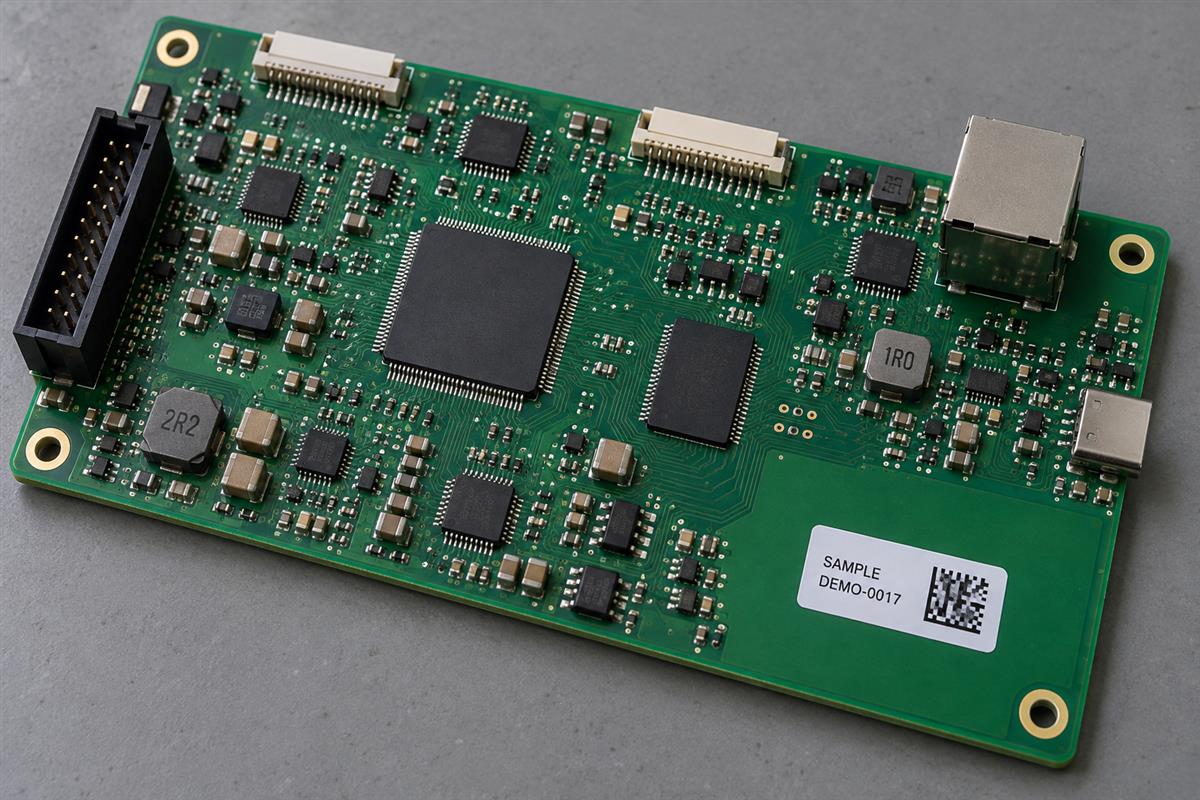
A PCB labeling process assigns an approved identity, applies a suitable physical label, checks the encoded information and links that identity to the correct manufacturing records. Printing a barcode is only one step. A perfectly readable label attached to the wrong board still creates a traceability failure.
First distinguish the bare board from the assembled product. A fabrication part number may identify the copper-board design, while an assembly part number identifies a fitted configuration. If several assemblies use the same bare PCB, the bare-board marking alone cannot tell you which parts or firmware belong to a finished unit.
Epec’s explanation of PCB markings distinguishes identification from traceability. In practical terms, one answers “what is this?” and the other helps answer “what happened to this unit or lot?” Define the required level before choosing a label format.
| Field | Purpose | Decision to document |
|---|---|---|
| Part number and revision | Identify the released design or assembly version | Bare-board identity, assembly identity or both? |
| Lot or work-order identifier | Connect units to a controlled production group | What event starts and closes the lot? |
| Unit serial number | Distinguish one unit within the agreed identifier namespace | Who allocates numbers and prevents reuse? |
| Panel and position relationship | Preserve origin before and after separation | How are individual boards mapped to the parent panel? |
| Test and rework records | Retain the unit’s manufacturing history | Which database records does the identifier retrieve? |
The label does not have to carry the entire history. A controlled unique key can retrieve a record containing the approved revision, material lots and test results. Decide which information must remain human-readable if the normal reader or database is temporarily unavailable.
Choose the Label Material and Location Together
Select a label system for the operations it will actually encounter, not merely for its advertised maximum temperature. Record whether application occurs before reflow, after cleaning, before coating or only at final packing. Those routes create different exposure requirements.
Brady’s B-727 technical data sheet, for example, specifies a polyimide stock with a particular thermal-transfer ribbon and reports performance under stated test conditions. Short exposure and prolonged exposure are separate cases. Its results are not a blanket guarantee for every cleaning chemistry or board surface; qualify the selected stock, adhesive, print system and process together.
On the drawing, reserve a flat, accessible area large enough for the code and its required clear border. Keep it away from solderable lands, fiducials, test contacts, mounting interfaces and component openings. Also check whether a connector, heat sink or enclosure will hide the label at the station where it must be read.
| Application point | Main review | Evidence to request |
|---|---|---|
| Before thermal assembly operations | Heat history, flux exposure, attachment and printed contrast | Trials through the actual planned route |
| Before cleaning | Chemistry, temperature, time and mechanical action | Readability and adhesion after representative cleaning |
| Before conformal coating | Compatibility, masking and optical accessibility | Approved coating/label sequence and post-process check |
| After assembly, before shipment | Handling, storage and customer scan requirements | Final board-to-package identity check |
Direct marking and printed legend can be alternatives when an adhesive label is unsuitable, but they require their own process review. Do not substitute laser marking without checking the material, mark location and effects on the board. This guide focuses on applied identification labels, not a laser-processing recipe.
The PCB Labeling Process, Step by Step
Use one controlled route from approved data to the finished unit. The steps below identify the input, the likely failure and the evidence needed to move forward.
Step 1: Release the identification specification
Inputs include the assembly drawing, revision, customer numbering rules and process route. Define code type, payload, human-readable fields, dimensions, location and acceptance criteria. Keep a released example with its expected decoded string.
This prevents operators from choosing a plausible-looking but unauthorized label. A first-article review should compare the template with the actual order and drawing. Hold production if the customer and internal numbering rules conflict. Public customer documents such as Triad RF’s labeling requirements illustrate why location, number allocation, material and packaging instructions belong in the specification. Their particular formats are not universal PCB rules.
Step 2: Allocate and reconcile the identifiers
Generate or import numbers through the approved source. Check uniqueness within the defined namespace and prevent independent stations from issuing the same identifier. Separate unused, assigned, voided and completed states so an interrupted print job cannot silently recycle a number.
Save the allocation record and expected quantity. If a panel contains multiple boards, establish the panel-position-to-unit relationship before separation removes the physical reference. A number on a discarded panel rail is not a permanent unit label.
Step 3: Print a controlled first sample
Use the approved label stock, ribbon and template revision. Check the printed text, encoded string and usable code border. Inspect for missing print, smearing, clipping and unexpected characters such as an added space or line break.
Retain the sample or inspection record with the job setup. A code that looks dense and professional can still encode the wrong field. Do not release the print run solely because the printer accepted the file.
Step 4: Apply the label to the intended board
Verify board identity and the designated location before application. Follow the material supplier’s application conditions and the approved surface-preparation process. Do not introduce an unqualified cleaning solvent simply to make the label stick.
Check that the label lies securely without folds, lifted edges or interference with functional areas. The output is a specific identifier bound to a specific physical unit. Record that binding; a label sitting on its backing sheet is not yet an identified assembly.
Step 5: Check the code and its record association
Read the applied code at the intended station and compare the result with the expected unit record. Confirm the part/revision relationship and reject duplicate or unexpected values. Where formal symbol-quality grading is required, use the agreed verification method as a separate check.
The release evidence should include the result and the unit identifier. A generic scanner “beep” cannot show that the right record was retrieved or that a customer grading requirement was met.
Step 6: Recheck after the relevant processes and at packing
Evaluate the label after the operations identified during qualification, including heat, cleaning or coating where applicable. Confirm that it remains attached, readable and associated with the correct unit. Reconcile completed, rejected and reworked units before closing the job.
At packing, compare the board’s identifier with the package record. A correct PCB in a wrongly labeled bag is still an identification error. Include labeling checks in the broader PCBA quality-control plan, with responsibility for investigating mismatches.
Reading, Quality Grading and Data Matching Are Separate Checks
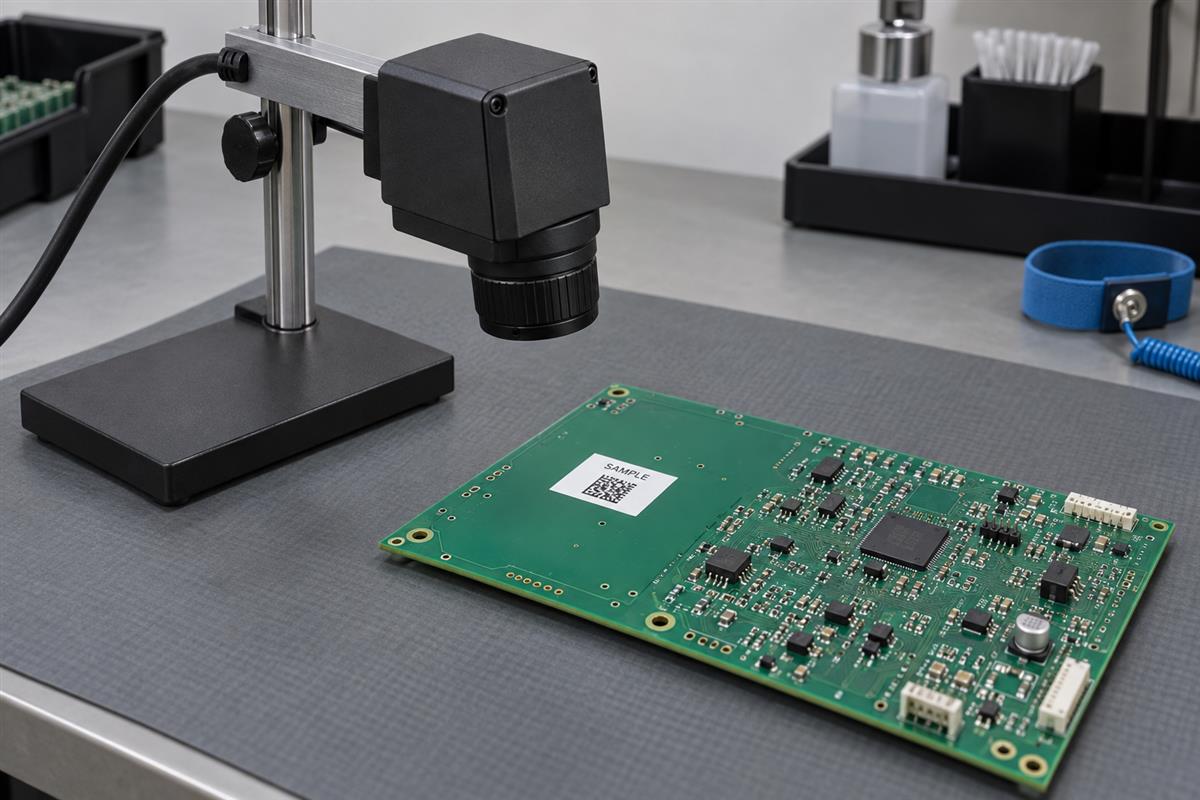
Ask three separate questions: can the station decode the symbol, is the symbol quality acceptable under the specified verification conditions, and does the decoded value belong to this unit?
Cognex’s barcode verification guide distinguishes a reader that obtains data from a verifier that evaluates symbol quality. Do not treat success on one reader as a universal quality grade. Where a standard-based grade is required, agree on the applicable method, setup and acceptance limit with the customer.
| Check | Example failure | Disposition |
|---|---|---|
| Decode | No reliable read at the intended station | Investigate print, presentation, obstruction and reader setup |
| Symbol quality | Readable code fails the agreed grade | Investigate marking quality with the specified verification method |
| Data association | Code reads cleanly but identifies another unit or revision | Quarantine the affected identification records and units |
QR Code and Data Matrix are different symbologies. Choose the format supported by the customer and production system, then prove it at the required size and distance. Do not shrink a code to fit a leftover corner without checking readability and the required quiet zone.
Control Reprints Without Losing the Unit’s History
A reprint is a controlled replacement of a physical identifier, not permission to erase a failed test or create a second unit with the same identity. Define who may authorize it, what happens to the damaged label and how the replacement is recorded.
Consider this hypothetical example: unit DEMO-0017 passes assembly inspection, then its label is damaged during handling. The operator requests a replacement for that same unit. The record preserves the original assignment, the replacement reason and the person approving it. The replacement is applied and checked; the damaged label is controlled so it cannot identify a different board.
Now consider a second board accidentally carrying DEMO-0017. Do not overwrite the database entry with the most recent scan. Hold both affected units and reconcile their history using the approved records. If identity cannot be established reliably, escalate the disposition instead of guessing.
Useful failure checks include the following:
- Repeated unreadable codes: inspect print quality and station presentation before increasing reader sensitivity blindly.
- Lifted labels after processing: review the complete material/application/exposure combination.
- Correct code, wrong product record: review template fields, data import and unit binding.
- Duplicates after a restart: review allocation persistence and printer retry handling.
- Lost identity after depanelization: review the parent-panel mapping and timing of unit labeling.
What Should You Send with a Labeling Request?
Prepare a labeling specification alongside the PCB assembly package. “Add a QR label” leaves important production decisions unresolved.
- Part number, revision and whether the label identifies the bare board or finished assembly.
- Approved numbering source, uniqueness scope and an example decoded payload.
- Code type, human-readable text and customer format requirements.
- Location drawing, dimensions, keep-outs and scan-access requirements.
- Material/print-system requirements or the exposure conditions for qualification.
- Application stage, downstream thermal/chemical processes and replacement-label policy.
- Readability, quality-grading and data-match acceptance requirements.
- Required links to test, rework, panel and packaging records.
Send the drawing, sample data and process requirements through PCBtry’s contact page. Ask the supplier to confirm the supported identification method, validation plan and record handoff before approving production. Do not assume a particular printer, database integration or qualification is included until its scope is agreed.
Frequently Asked Questions
Is a date code enough for traceability?
It may support lot-level tracking if the records are defined that way. It does not automatically identify an individual unit.
Should labels be applied before or after reflow?
Choose the stage from the required tracking coverage and qualified material/process combination. Neither timing is universally correct.
Can ordinary office labels be used on a PCB?
Do not assume they tolerate assembly heat, chemicals or long-term service. Qualify a suitable system for the actual route.
Does a successful phone scan prove barcode quality?
No. It demonstrates decoding under those conditions, not compliance with a specified verification grade or correct database association.
Can the label cover a test point or fiducial?
Not when that feature is needed. Reserve the label area in the drawing and review access throughout manufacturing.
Must all manufacturing data be encoded in the symbol?
No. A controlled identifier can link to retained records. Decide what must be directly readable and what the system retrieves.
Can a rejected unit’s serial number be reused?
Do not reuse it casually. Follow the approved allocation and disposition rules so the rejected history cannot become attached to another unit.
Is the packaging label a substitute for a board label?
Only if the agreed identification plan explicitly permits it. Once the board leaves the bag, the package may no longer provide a reliable physical association.



0 Comments