




You might be an electronics engineering student or a new hardware engineer who has just received a .brd file to work with. You need to understand the basic information about this type of file to proceed with your tasks. Your underlying need is likely to learn how to open, edit, or convert this file, rather than just knowing its definition.
This article is here to help. It aims to discuss .BRD files and their purpose. Furthermore, we will explore the uses of these files and how to handle them.
What is a .brd file?
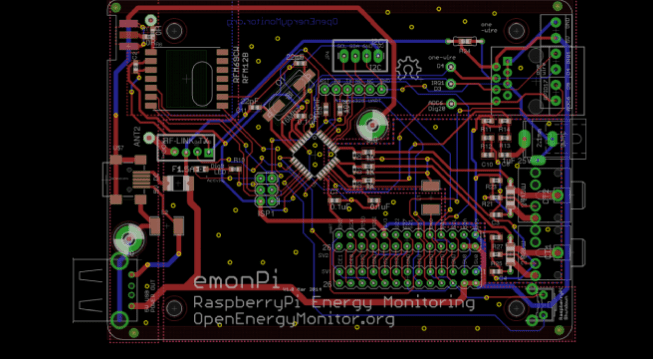
A .brd file is a type of software file used for creating circuit design templates. It is a BorderMaker file. The .brd file is created by Autodesk EAGLE. You can save .brd files in the Gerber drill data format. .BRD files are design files that contain information compatible with Gerber files. Additionally, .BRD files contain PCB layouts.
EAGLE board files are saved in the BRD file extension format. These BRD files are used by EAGLE PCB design software. Moreover, any software that creates PCB designs is referred to as CAD software. EAGLE software is a prime example of such a program. EAGLE stands for “Easily Applicable Graphical Layout Editor.”

BRD files contain PCB layout data. Many manufacturers and developers encode their BRD files in a proprietary format. Consequently, third-party programs may be unable to open them. For instance, EAGLE encodes BRD files as binary data or XML. However, KiCad saves its PCB layouts as plain text. A boardview file is an example of a .brd file. It contains schematics of the PCB and its components, among other things. Furthermore, OpenBoardview can visualize most BRD boardview files. The Smart Charts Drug Development Suite also uses BRD as its data transfer format.
What information is contained within a .brd file?
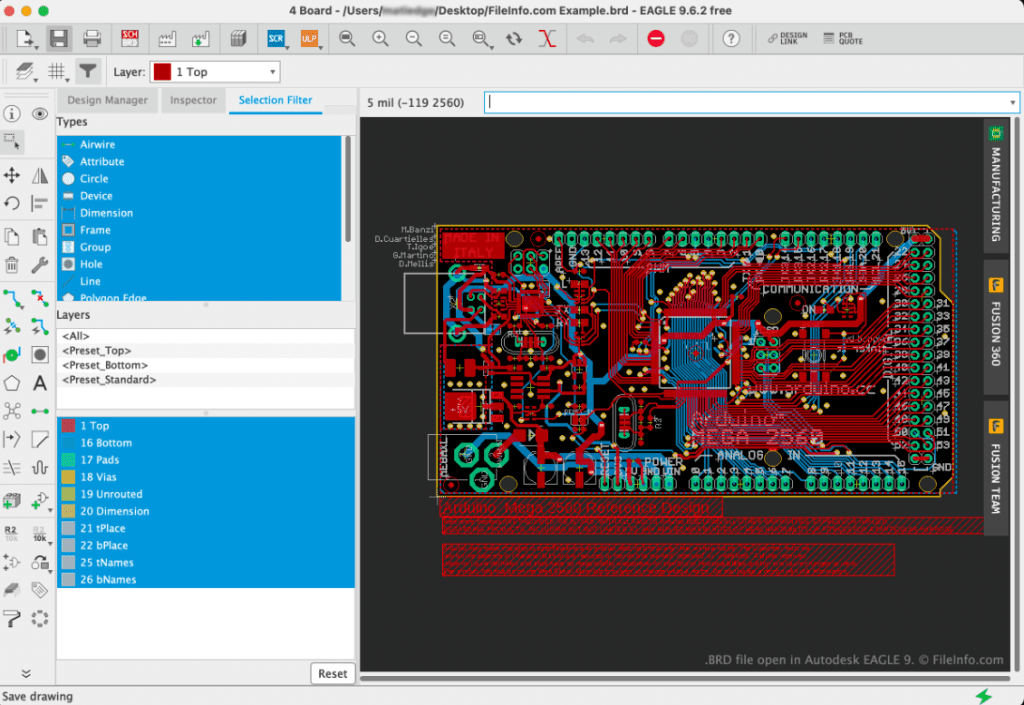
A .brd file is a complex collection of data, primarily including:
- Board Outline: Defines the physical shape and dimensions of the PCB.
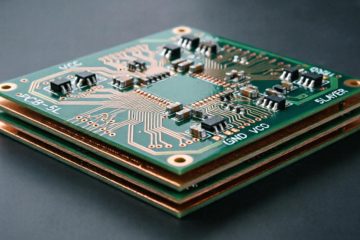
- Stack-up: Defines the number of layers in the PCB (e.g., top layer, bottom layer, internal layers), the material, thickness, and type of each layer (signal layer, power plane, ground plane).
- Component Placement: Precisely records the location and orientation of every component (resistors, capacitors, chips, etc.) on the board.
- Traces / Routing: All copper pathways connecting components, including trace width and their respective layers.
- Vias: Holes drilled to establish electrical connections between different layers.
- Pads: The shape of the copper area where component pins connect to the PCB.
- Silkscreen: Text, logos, and graphics on the board used for labeling component reference designators, version numbers, etc.
- Solder Mask: Defines which areas of copper are covered by solder mask (often green, but other colors exist) to prevent short circuits during soldering.
- Drill Data: The location, size, and type of all required holes (through-hole, blind via, buried via).
- Netlist: The logical information of electrical connections, ensuring the routing matches the schematic design.
- Design Rules: Constraints such as minimum trace width, clearance between traces, and annular ring size, ensuring the design is manufacturable.
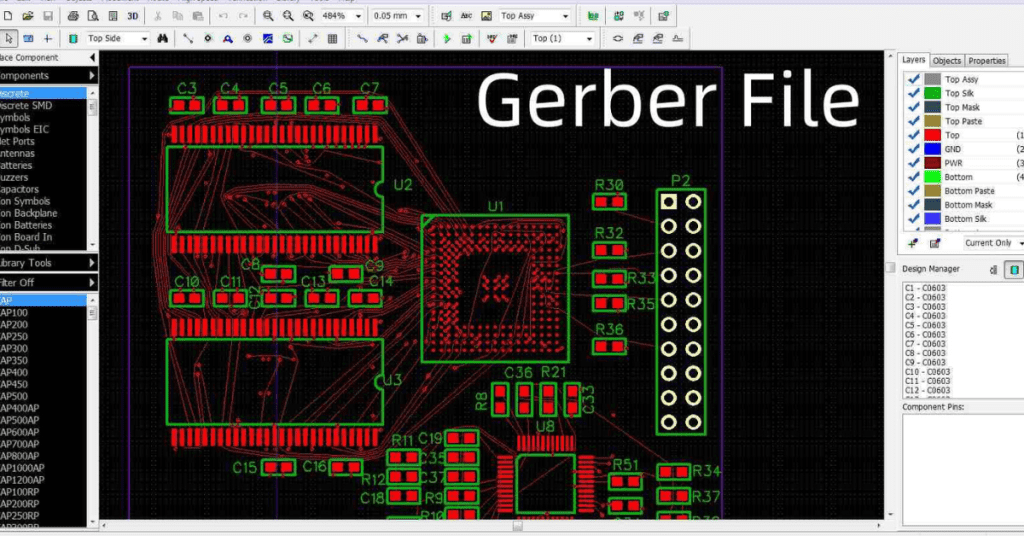
.brd File vs. Gerber File
| Feature | .brd File | Gerber File |
|---|---|---|
| Nature | Design Source File | Production Output File |
| Format | Proprietary Binary Format | Standard Photoplotter Format (RS-274X) |
| Editability | Editable | Not Editable (Equivalent to a set of images) |
| Content | Contains all design data, rules, and logic | Each layer is “flattened” into a separate image file |
| Purpose | Used for designing and modifying the PCB | Used for PCB manufacturing and assembly |
| Software | Requires professional EDA software like Cadence Allegro | Can be viewed by any CAM software (e.g., GC-CAM, ViewMate) |
| Analogy | Like a Photoshop .psd source file | Like exported .jpg or .pdf files for a print shop |
How to open and view .brd files?
- Primary Software:
- Cadence Allegro PCB Editor: This is the official, full-featured software for opening and editing .brd files. It is very expensive and primarily targeted at professional companies and engineers.
- Free Viewing Tools:
- Cadence Allegro Viewer: A free tool provided by Cadence that allows viewing and measuring .brd designs but not editing.
- Autodesk Viewer: A powerful free online tool that supports uploading and viewing various design files, including the .brd format. It provides a 3D view in the browser, which is very intuitive.
- Other EDA Tools:
- Some other PCB design software (like certain versions of Altium Designer) may offer import or partial support for .brd files, but compatibility may be imperfect.
What is a file extension?
A file extension is always located at the end of a filename. It consists of three to four characters, such as .brd. The file extension indicates the file type and tells Windows which programs can open it. Each file extension has a default program. Furthermore, this program launches automatically every time you double-click the file. If you don’t have that program on your computer, you might get an error when trying to open the associated file.
.BRD File Viewer Websites
There are some .brd file viewer websites. However, not all of them allow you to view .brd files for free. .BRD files contain designs compatible with Gerber files. There are online tools for viewing Gerber files, but the same isn’t universally true for .BRD files. Here are some websites that can open .BRD files.
Altium Viewer
This is a free .BRD file viewer website. Altium Viewer helps you upload .BRD files. However, this online tool does not provide editing options. .BRD files can only be uploaded and viewed in read-only mode. Furthermore, you can zoom in on the design for a clear view of individual components. Altium Viewer does not require any payment or registration from you.
You can visit the Altium Viewer link and upload a .BRD file. The site allows you to open and view .BRD files without installation. Additionally, you can view details of different components in the PCB design you are examining.
EasyEDA
EasyEDA is another reliable free online tool that lets you open and view .BRD files. Unlike Altium Viewer, you can upload library .BRD files on this viewer. Furthermore, it opens the file in an editable workspace. This online tool allows you to make changes to the BRD file.
If you want to save changes, you need to export the .BRD file to other formats, such as PNG or EasyEDA’s native format. Moreover, you need to create a free account to use EasyEDA.
Programs that can open and convert .BRD files
Allegro
This is a PCB design and simulation software. PCB designs created with Allegro are saved as .BRD files.
KiCad
This is an open-source electronic design automation software. This program saves PCB layouts as .BRD files.
RPG Toolkit
Designed by Christopher Matthews, RPG Toolkit is an application development platform for creating 2D role-playing games. .BRD files save boards used in games created with the RPG Toolkit.
OpenBoardview
This open-source program is designed for viewing electronic circuit schematics in different formats. It can also open electronic schematics in different formats like ASC and GAD.
Altium Designer
This is a PCB design and analysis software. The .BRD file is a file type used for storing PCB designs created by Altium Designer.
Conclusion
A.brd files play a crucial role in the PCB design and manufacturing process, containing comprehensive information about component placement, trace routing, drilling, design rules, and layer stackup. These files are essential for designers and manufacturers to understand the structure and content of the PCB, helping to ensure accurate design verification, simulation, and successful production of these boards. Proper management and use of .brd files facilitates collaboration, minimizes design errors, and streamlines the transition from design to manufacturing.

0 Comments