




A single layer PCB has one patterned copper circuit layer. It is also called a single-sided PCB. The name describes the electrical construction, not the number of sides carrying components, and not the total number of materials in the board. The practical question is whether your connections, return paths and assembly can work on that one copper layer without excessive compromises.
Start with the circuit and the product constraints, not the assumption that fewer layers always cost less. A one-layer board can be a sensible choice for a relatively open layout. If it needs numerous links, long detours or narrow current-carrying sections, compare a two-layer version before releasing the design.
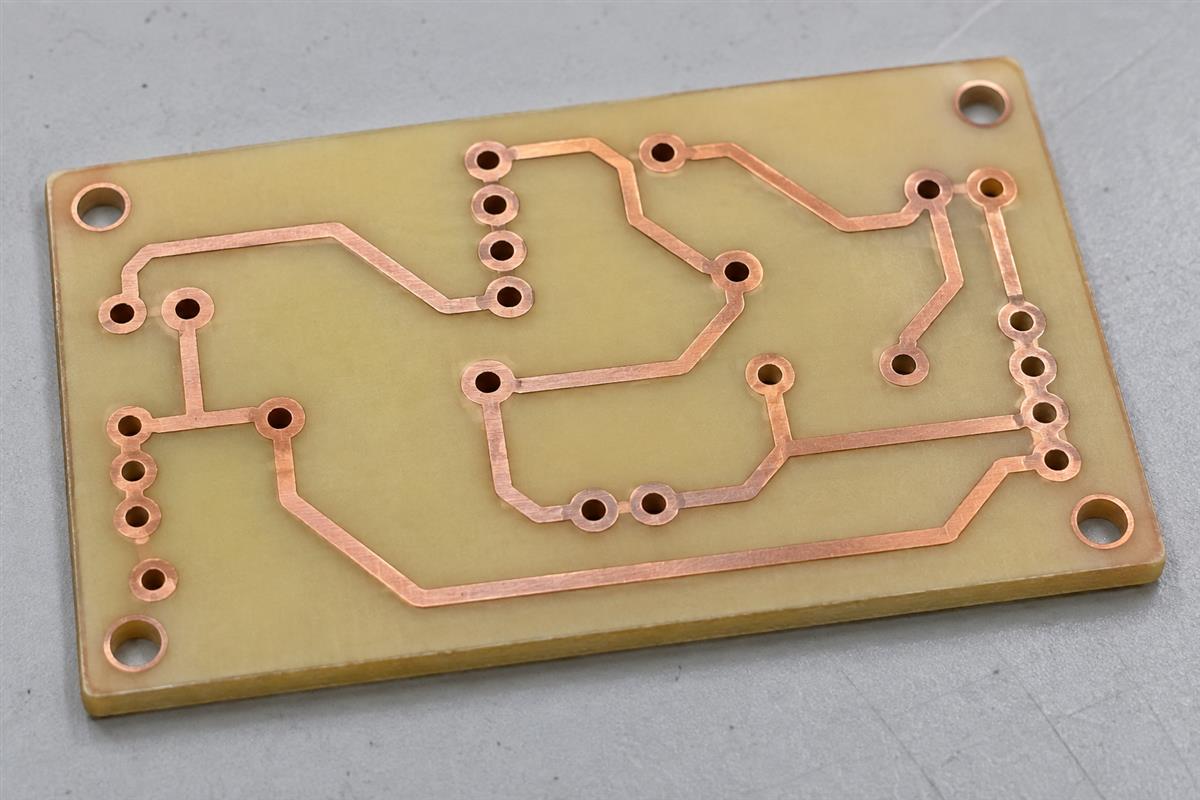
Read the Board Construction Before Planning the Layout
Identify the copper circuit layer separately from the supporting material, protective coatings and component placement. A board can contain several physical materials while still having only one circuit layer.
| Feature | What it does | What to check |
|---|---|---|
| Patterned copper | Forms pads, traces and any connected copper areas | Which face carries the circuit, and the specified copper thickness |
| Insulating substrate | Supports and separates conductive features | Exact material grade, thickness and compatibility with assembly and use |
| Solder mask | Protects selected copper areas and leaves solderable pads exposed | Openings around pads and any intended exposed conductors |
| Surface finish | Provides the specified interface on exposed copper | Finish requirements for the actual assembly and storage conditions |
| Legend or silkscreen | Identifies parts, polarity and other assembly information | Readable markings that do not obscure solderable pads |
In a conventional through-hole arrangement, component bodies can sit on the non-copper face while their leads pass through holes and are soldered to copper pads on the other face. Surface-mount parts can instead connect directly to pads on the copper face. Thus, “single-sided assembly” and “single-layer PCB” answer different questions: where parts are installed versus how many circuit copper layers exist.
A drilled hole does not automatically connect two circuit layers. On a true one-layer design there is no second routing layer for a normal interlayer via to reach. State plated and non-plated hole requirements explicitly; special plated-hole requirements need manufacturer review rather than an assumption based on the word “hole.” Würth Elektronik’s BASIC PCB overview distinguishes single-sided, double-sided and multilayer construction and explains the layer-connection role of plated holes.
Do not use board thickness as a substitute for material identification. Making a rigid laminate thinner does not automatically qualify it as a repeatedly flexing circuit. Likewise, a metal backing is not automatically another signal-routing layer. Obtain the actual construction drawing before choosing footprints, hole requirements or assembly methods.
Can Your Circuit Be Routed on One Layer?
A one-layer layout is feasible when every required connection can be made with acceptable conductor geometry, electrical behavior and assembly access. Finishing all the visible connection lines in CAD is only the first check.
- Fix the mechanical constraints. Place mounting holes, connectors, controls and restricted areas from the enclosure drawing. A connector that cannot move is a routing constraint, not a detail to solve at the end.
- Place parts by electrical function. Keep related components together and follow the selected IC’s placement guidance. Rotate or exchange the physical order of parts where the schematic permits it, but do not swap device pin functions merely to make routing easier.
- Route critical connections first. Reserve space for current-carrying paths, their returns and sensitive nodes. Select widths and spacings from electrical requirements and confirmed fabrication capability, not from a generic minimum setting.
- Resolve crossings deliberately. Reposition parts, reroute a noncritical net or specify a suitable jumper. Two different nets cannot overlap as ordinary copper traces on the same layer without making an electrical connection.
- Check the released result. Run connectivity and design-rule checks, inspect remaining unrouted nets, review exported copper and drill data, and verify that no accidental second-layer traces remain.
A simple crossing example
Suppose one connection runs from a left-hand connector to a resistor on the right, while a second connection must pass from the top of the board to the bottom. If the two copper routes intersect, drawing both on the same layer creates a short between the nets. First try moving or rotating the resistor so its connection no longer divides the available routing space. If that is impractical, a properly specified link can carry one connection over the other. If many critical routes need this treatment, a second copper layer may be the better design choice.
Do not solve congestion by making every trace thinner. The narrow section between two pads can become the limiting part of a current path, even when the rest of the trace is wide. Record these neck-downs for review. A manufacturer’s minimum line width is a fabrication limit, not an automatic current rating.
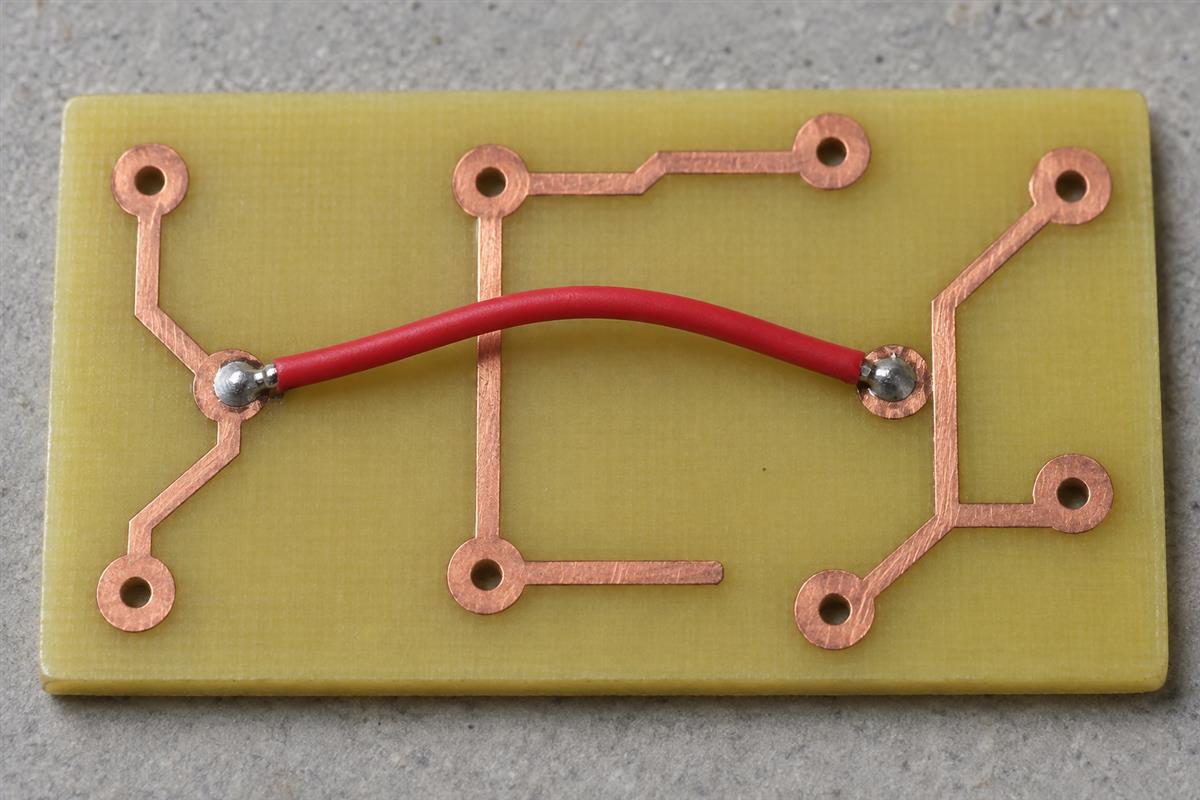
Use Jumpers as Specified Components
A jumper provides a separate conductive path between two points, allowing a connection to bridge a routing obstacle without adding a patterned copper layer. Treat it as a real assembly item with electrical, mechanical and production requirements.
A wire link or suitable zero-ohm component may be an option. Its body, leads and pads must fit the intended crossing. Any conductor underneath must remain electrically separated from the link under the expected assembly tolerances and operating conditions. Do not assume solder mask alone supplies whatever safety insulation the product requires.
| Jumper check | Why it matters | What to document |
|---|---|---|
| Current and temperature | A link can overheat even though its nominal resistance is described as zero | Selected part, rating conditions and any required derating |
| Actual resistance | Voltage drop and dissipation are not exactly zero | Maximum resistance from the part specification |
| Physical clearance | The link must not touch unintended copper or obstruct adjacent parts | Footprint, body dimensions, crossing geometry and assembly tolerance |
| Assembly route | A wire link may introduce a different insertion or soldering operation | BOM entry, reference designator and installation method |
| Inspection and test | A missing link produces an open circuit; an incorrect link can connect the wrong nodes | Presence check and relevant electrical-test coverage |
For example, Vishay’s WFZ jumper datasheet specifies finite maximum resistance and different current ratings for different sizes. Those are product-specific values, not universal ratings for all zero-ohm resistors. Select the exact part and review its conditions before relying on it.
For a purely illustrative calculation, a link with 0.01 ohm resistance carrying 2 A DC would drop V = I × R = 0.02 V and dissipate P = I² × R = 0.04 W. These assumed numbers demonstrate the calculation; they do not qualify any particular jumper. Actual resistance, ambient temperature, mounting and rating limits still govern selection.
Check Return Paths, Current and Heat
A completed connection must also have a suitable return path. Current flows around a circuit, not simply from one component to the next and then disappears at a ground label.
Imagine a supply connection running directly to a load while its return takes a long route around the edge of the board. The outward and return paths form a larger loop than closely routed paths would. For rapidly changing currents, that loop geometry can matter even when a continuity test reports a good connection. TI’s AN-1229 layout guide explains the importance of switching-current paths and layout geometry in its SIMPLE SWITCHER examples.
A copper pour is not automatically a continuous reference plane. Other traces and clearances can split it into islands or leave a narrow connecting section. Follow the actual copper path back to the source. Check whether load current shares a restricted section with a sensitive signal reference; a net named GND is not necessarily at exactly the same instantaneous voltage everywhere.
Three separate checks
- Connectivity: are the intended nets connected, and unintended nets isolated?
- Electrical performance: do the actual routes support the required switching, noise, timing and signal behavior? Follow the device’s reference layout and validate the prototype where necessary.
- Thermal performance: do conductors, pads, links and components stay within their permitted temperatures in the enclosure and operating conditions?
There is no universal “single-layer current limit.” Copper thickness, conductor width and length, nearby heating, airflow and allowable temperature rise all matter. For pulsed current, heating assessment must account for the waveform, including RMS current where appropriate; a simple average-current assumption can be misleading. Check the weakest section of the entire path, including connectors and jumpers.
These checks are not a mains-design approval procedure. Products involving hazardous voltages require application-specific insulation, spacing and safety review. Neither a second copper layer nor a clean CAD rule check automatically establishes compliance.
When Is a Two-Layer PCB the Better Choice?
Choose two layers when the additional routing freedom or reference-copper arrangement removes a meaningful electrical, mechanical or assembly compromise. Compare working designs with the same requirements, not just the number of copper layers.
| Observed condition | One-layer option | Reason to evaluate two layers |
|---|---|---|
| Open layout with a few straightforward connections | May remain simple and easy to inspect | Check whether the supplier’s standard prototype route changes the price comparison |
| Many crossings or long routing detours | Requires placement changes or additional links | A second route can reduce assembly items and board area |
| Sensitive signals share awkward return paths | Needs careful placement and explicit return routing | A suitable reference arrangement may be easier, but still requires design validation |
| High-current paths neck down between crowded pads | May need larger placement spacing or different packages | Additional routing space can relieve congestion; it does not replace thermal analysis |
| Enclosure fixes a small board outline | Routing margin may be insufficient | Two layers may meet the same mechanical envelope with fewer compromises |
| Established high-volume design already validated on one layer | May offer an efficient manufacturing route | Change only after comparing total cost, qualification work and benefits |
Include the bare board, extra links, placement or insertion, soldering, inspection, test and expected rework in the comparison. Prototype setup and a manufacturer’s standard service can change the outcome; one layer is not guaranteed to be the cheapest quotation. Ask for equivalent quantities, materials, finishes and acceptance requirements.
Likewise, two layers are not a cure for poor placement. A badly interrupted reference region or long switching loop can still cause problems. The objective is a layout that meets the requirements with reasonable production margin.
Review These Items Before Releasing the Design
Release the board only when the construction, electrical checks and assembly assumptions agree across the drawing, layout and purchasing files. Use the following list as a handoff check between the designer and the supplier.
- The fabrication drawing explicitly states one circuit copper layer and identifies its side.
- Material grade, finished thickness, copper requirement and surface finish are specified rather than described only as “standard.”
- Every net is routed or connected by an intentional, documented assembly item.
- Jumpers have approved specifications, references and footprints; their current and temperature conditions have been checked.
- Critical outward and return paths have been reviewed, including neck-downs and isolated copper islands.
- Hole, slot, mounting and plated/non-plated requirements agree with the fabrication drawing.
- Component polarity, solder access and inspection access agree with the assembly plan.
- Exported copper, mask, drill and outline files have been reviewed together at the same revision.
- The test plan separates bare-board opens/shorts from assembled-board functional and thermal verification.
- Any change to two layers has been checked against the schematic, mechanical constraints and revised manufacturing files.
The factory operations are covered separately in the single-layer PCB manufacturing process guide. For a project review, send PCBtry the schematic, Gerber and drill data, dimensioned drawing, BOM including links, assembly information and the operating constraints through the contact page. Ask which one-layer compromises require clarification and whether a comparable two-layer quotation would be useful. Identify unresolved assumptions before approving production.
Single-Layer PCB Questions
Is a single-layer PCB the same as a single-sided PCB?
Usually, yes: both describe one patterned circuit copper layer. Confirm the drawing because “single-sided” can also appear in an assembly discussion, where it describes component placement rather than the board’s copper construction.
Can a single-layer board use surface-mount parts?
Yes. Surface-mount parts can connect to pads on the copper face. Their footprints, routing space, soldering process and inspection access must fit the design. Single-layer construction does not mean through-hole components are mandatory.
Does adding a jumper turn the board into a two-layer PCB?
No. An installed jumper is a separate conductive assembly item, not another patterned copper layer in the board. It still needs to appear in the design and assembly documentation so its connections and installation can be checked.
Can I simply delete one copper layer from an existing design?
No. Connections, copper regions and interlayer transitions may depend on it. Converting a two-layer design normally requires rerouting and verification against the schematic, followed by review of electrical behavior and manufacturing files. Deleting a Gerber file does not perform that work.
Can unused copper be left floating?
Do not assume a floating island improves grounding or shielding. Review its purpose, spacing and interaction with the circuit, then remove it or connect it intentionally as the design requires. Check the final copper geometry rather than relying on the name of a CAD pour.
Does single layer specify the board thickness?
No. Copper-layer count and finished board thickness are separate requirements. Choose thickness from mechanical fit, material availability and the qualified manufacturing route. State copper thickness separately; it is not the same as total board thickness.
Will an electrical open/short test prove the assembly works?
No. A bare-board test checks conductor connectivity and isolation against its test data. It does not establish component value, orientation, firmware behavior, operating temperature or full circuit performance. Define assembled-board tests separately for the actual product.
How many jumpers are too many?
There is no universal count. A few difficult, high-current or manually installed links may matter more than several easy ones. Compare the complete assembly cost, routing compromises, test access and reliability requirements with a two-layer alternative.



0 Comments