




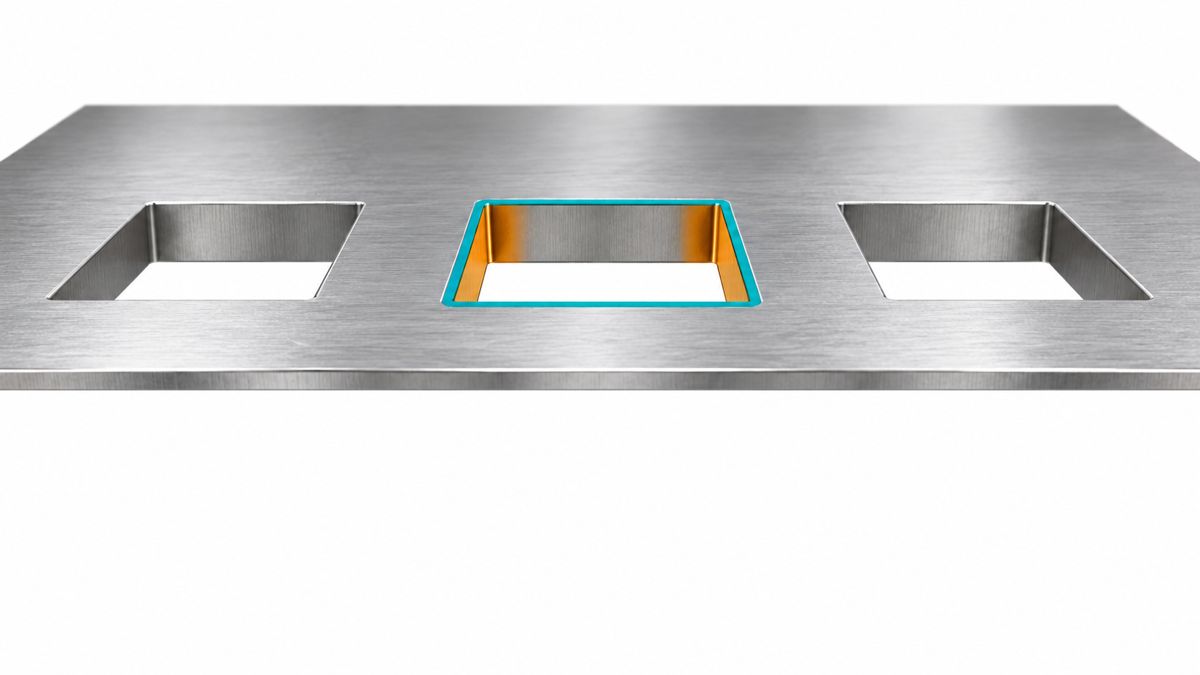
Stencil area ratio is the aperture opening area divided by its internal wall area. For a rectangular opening, calculate AR = L × W / [2 × (L + W) × t], using the actual aperture length L, width W and local foil thickness t in the same units. A 0.30 × 0.60 mm opening in 0.125 mm foil has an area ratio of 0.80. The commonly used 0.66 guideline is a geometry screening point, not a guarantee of good printing.
The practical decision is not simply “make the ratio larger.” Reducing thickness raises area ratio but reduces theoretical paste volume. Reducing an opening to control excess solder also reduces area ratio. Calculate both before approving a change.
How do you calculate stencil area ratio?
Use the finished aperture geometry, not component pitch or solder-mask clearance. For straight, vertical walls, the general expression is opening area divided by perimeter multiplied by thickness. Indium’s print-metrics explanation gives the rectangle, square and circle relationships.
| Opening shape | Area ratio | Example at t = 0.100 mm |
|---|---|---|
| Rectangle | LW / [2(L + W)t] | 0.30 × 0.60 mm: 1.00 |
| Square, side s | s / (4t) | s = 0.30 mm: 0.75 |
| Circle, diameter d | d / (4t) | d = 0.30 mm: 0.75 |
| Other straight-wall shape | A / (Pt), with area A and perimeter P | Obtain A and P from the final aperture drawing |
Worked rectangle: 0.30 × 0.60 = 0.180 mm² opening area. The perimeter is 2 × (0.30 + 0.60) = 1.80 mm. At 0.125 mm thickness, wall area is 0.225 mm², so AR = 0.180 / 0.225 = 0.80. The ratio has no unit.
Keep units consistent: 100 µm is 0.100 mm; 1 mil is 0.0254 mm. Mixing a micrometre thickness with millimetre dimensions creates a thousandfold error. For tapered walls, irregular cuts or rounded corners, ask which geometry the stencil supplier uses for its calculation rather than silently substituting a rectangular bounding box.
Stencil area ratio vs aspect ratio: what is the difference?
Area ratio uses the entire opening and wall perimeter. Aspect ratio uses the narrow aperture width divided by thickness: W/t. TI’s QFN and SON attachment note, section 4.3, treats them as separate checks. Passing a width-to-thickness check does not prove an acceptable area ratio.
For example, a 0.20 × 0.60 mm rectangle in 0.125 mm foil has aspect ratio 1.60 but area ratio 0.60. By contrast, a 0.20 mm square at the same thickness still has aspect ratio 1.60, while its area ratio is only 0.40. The width did not change; the opening’s relationship to its wall area did. Do not label a W/t calculator “area ratio.”
Is 0.66 the minimum stencil area ratio?
Indium’s stencil design guidance uses AR ≥ 0.66 as an industry guideline. Treat a lower value as a reason for process review, not proof that printing is impossible. TI describes lower-ratio results with nickel-formed stencils and asks readers to consult the stencil supplier for challenging apertures.
For a square or circle, rearranging the formula gives a screening dimension of 2.64t at AR = 0.66. At 0.100 mm thickness that is 0.264 mm; at 0.125 mm it is 0.330 mm. These are calculated geometry thresholds, not universal minimum feature capabilities. A rectangular opening must be evaluated with both dimensions.
A nominal value exactly on the line leaves no allowance for dimensional variation. Record the finished foil thickness and aperture tolerance used in the review. Where those tolerances are not supplied, label the result nominal rather than pretending it is a worst-case check.
100 µm vs 125 µm stencil: which change helps?
The following examples use ideal rectangular apertures with vertical walls. Volume is L × W × t, before transfer losses. They are calculations, not measured production results.
| Opening / foil, mm | Area ratio | Geometric volume, mm³ | Decision illustrated |
|---|---|---|---|
| 0.30 × 0.60 / 0.125 | 0.80 | 0.02250 | Baseline |
| 0.30 × 0.60 / 0.100 | 1.00 | 0.01800 | Thinner foil: AR rises 25%; volume falls 20% |
| 0.27 × 0.54 / 0.125 | 0.72 | 0.018225 | Both dimensions reduced 10%: volume falls 19%; AR falls 10% |
| 0.20 × 0.60 / 0.125 | 0.60 | 0.01500 | Narrow opening needs release review |
| 0.20 × 0.60 / 0.100 | 0.75 | 0.01200 | Thinning improves the ratio but removes paste volume |
The two middle approaches can deliver similar nominal volumes yet have different release geometry. That is why “reduce paste by about 20%” is not a complete stencil instruction. Specify whether the change concerns area, linear dimensions or foil thickness.
Before thinning an entire stencil, identify the joints that need the greatest paste volume. A local thickness change may be worth discussing when one foil cannot satisfy the package mix, but its location and manufacturability need supplier review. Do not increase fine-pitch apertures indiscriminately just to improve a calculated ratio.
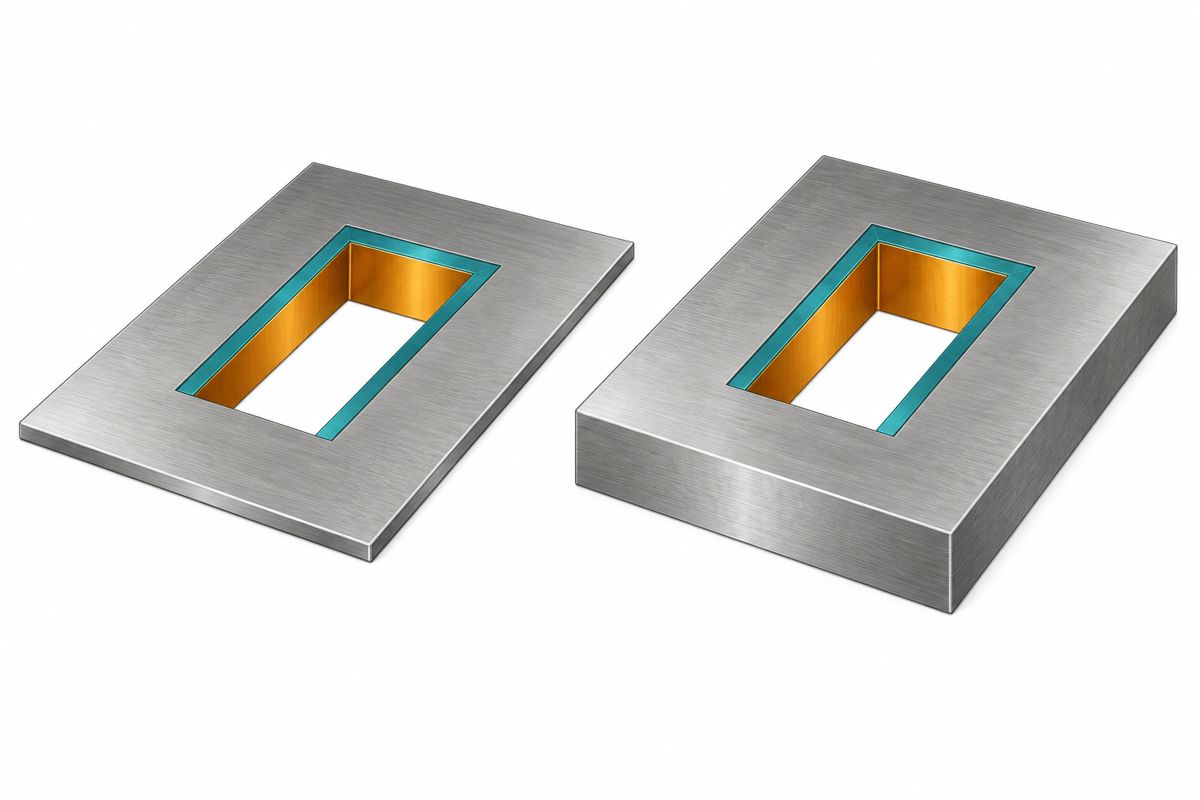
What does the TPS62130 RGT stencil example specify?
The TI TPS62130 datasheet, package drawing RGT0016C, 4222419/E (07/2025), provides a concrete example. These are package-specific reference dimensions, not a universal QFN stencil prescription.
| Drawing parameter | Value | How to use it |
|---|---|---|
| Package body / terminals | 3 × 3 mm nominal; 16 perimeter terminals | Confirm the exact RGT package, not just the device family |
| Terminal pitch | 0.5 mm | Pitch is not aperture width |
| Perimeter aperture reference | 0.60 × 0.24 mm; R0.05 mm corners | Rounded corners affect area and perimeter |
| Example foil thickness | 0.125 mm | Use local finished thickness for production checks |
The drawing’s parenthesized dimensions are reference values; it does not establish your stencil supplier’s cutting tolerances. The thermal-pad opening needs its own assessment and must not be inferred from the lead apertures.
Using a sharp-corner approximation gives 0.60 × 0.24 / [2 × (0.60 + 0.24) × 0.125] = 0.686. If modeled as a straight-wall rounded rectangle with r = 0.05 mm, A = LW − (4 − π)r² and P = 2(L + W) − (8 − 2π)r, giving approximately 0.712. This is our geometric calculation, not a TI print-yield result. Neither model captures an unspecified wall taper or manufacturing variation.
How do you verify paste release after calculating the ratio?
Indium distinguishes geometric area ratio from transfer efficiency: measured deposit volume / aperture volume. SPI provides volume and position evidence; assess repeatability as well as the average. A visually present deposit is not a volume measurement.
For an illustrative 0.01800 mm³ aperture, a measured 0.01440 mm³ deposit means 80% transfer. That arithmetic does not establish an acceptance limit. Agree limits for the assembly, and compare the same aperture families across repeated prints, including restart conditions. A good overall average can hide a weak fine-pitch group.
Record the paste product, powder type, conditioning, cleaning state, support, alignment and print settings before comparing geometry trials. Change one planned factor at a time. For a separate particle-size decision, use the solder paste powder size guide; it does not replace an aperture calculation.
Stencil area ratio FAQ
Should I calculate from the copper pad or the stencil opening?
Use the final stencil opening. If the assembler changes the paste artwork, calculate from that revision. Copper-pad size is only equivalent when the aperture actually matches it.
Can an aperture below 0.66 still print successfully?
It can under a qualified process, but a calculator cannot approve it. Ask for the stencil construction, paste combination and repeat-print evidence supporting that aperture.
Does reducing the opening improve area ratio?
Not for proportional reduction at fixed thickness. Reducing both dimensions to 90% makes area ratio 90% of its original value and nominal volume 81%. Review the release tradeoff before reducing excess paste.
Is a thinner stencil always better?
No. It improves area ratio for unchanged openings while reducing nominal volume. Check other packages before a board-wide thickness change.
Will changing from Type 3 to Type 4 paste fix the problem?
Not automatically. Powder selection is one input; a product change also changes the material system. Verify the supplier’s aperture guidance and actual prints rather than assuming a finer designation solves bridging or release.
Why are deposits bridged even when area ratio is acceptable?
The ratio does not measure alignment, separation, deposit spreading or excess volume. Compare the paste immediately after printing with the final aperture drawing and investigate the observed failure, not just the ratio.
For a windowed thermal pad, do I calculate each window?
Yes. Evaluate individual openings and their wall perimeters. Summing all open area while ignoring the internal window walls overstates release geometry. Total coverage and total paste volume are separate checks.
What information should accompany a stencil review?
Provide the board revision, final paste files, package drawings, aperture dimensions and shape, local thickness, paste identification and observed print data. Highlight any changes made after the original CAD export.
What should you record before ordering the stencil?
Keep a reusable row for each critical aperture: reference designator and pad; drawing revision; shape; L/W or diameter; corner radius; local thickness and tolerance; calculated area ratio; nominal volume; paste product; measured result; and approval decision. Keep nominal calculations separate from measured evidence.
For the broader file-to-first-print workflow, see how to make a PCB stencil. To discuss a PCB assembly build, send the fabrication and paste files, BOM, placement data, quantity and this critical-aperture list through the PCBtry contact page. Identify whether you need a geometry review or help investigating an actual print defect.

0 Comments