




If you’re wondering how to print a PCB board, the process is straightforward—whether you’re printing at home for a hobby or working with a pro manufacturer. Learning how to print a PCB board starts with solid design prep, picking the right materials, and following simple best practices to avoid easy mistakes.
This guide cuts the jargon and gives you clear, actionable steps for anyone looking to make a working PCB for personal projects or industrial use.
What Tools Do You Need to Print a PCB Board?
Essential Tools for PCB Printing (Home & Professional Use)
You’ll need basic tools to print a PCB board, and they differ a bit for home DIY vs. professional printing. For home projects, grab PCB design software, transfer paper, a laminator, and etching solution.
Pro printing uses fancy gear like solder paste printers and reflow ovens, but you won’t need to buy any of this if you work with a reliable manufacturer.
How to Prepare a PCB Design for Printing?
Design prep is make-or-break for PCB printing. Start with software like KiCad or Altium to build your layout, making sure all parts are placed right and traces are routed cleanly.
Double-check for short circuits, wrong part footprints, and proper spacing—small errors here will ruin your entire print. Save your file as a Gerber, the standard format for all PCB makers.
We offer custom PCB fabrication + free DFM reports, so we catch design flaws before printing and make sure your board is ready to produce.
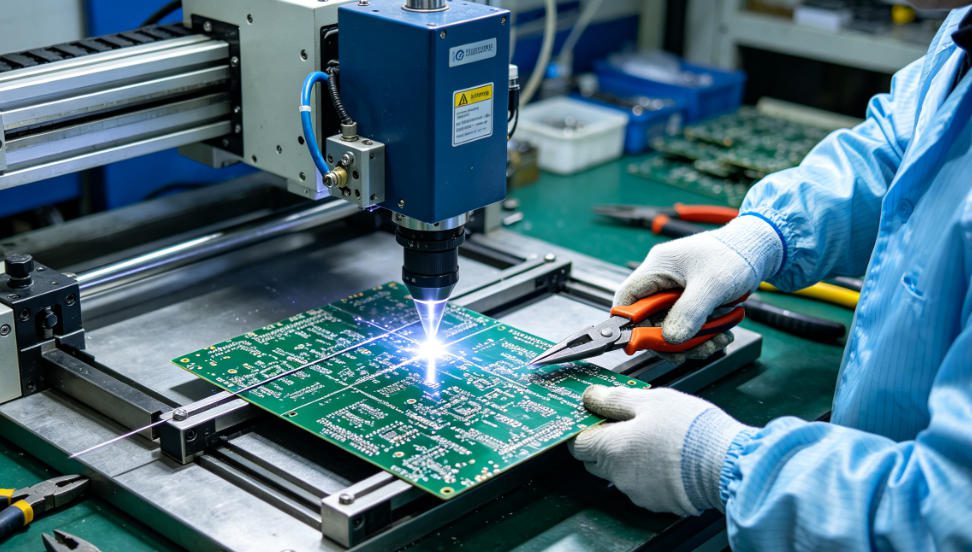
What’s the Difference Between Home and Professional PCB Printing?
| Category | Home PCB Printing | Professional PCB Printing |
|---|---|---|
| Cost & Gear | Low startup cost, basic tools only | No gear to buy, manufacturer handles everything |
| Quality & Accuracy | Good for simple designs, not super precise | High precision, perfect for complex, dense boards |
| Turnaround | Fast same-day, but only small batches | Quick turnaround for any batch size |
| Best For | Hobby projects, quick prototypes | Industrial use, mass production, high-reliability builds |
How to Print a PCB Board at Home (Step-by-Step)
Step 1: Print the PCB Layout on Transfer Paper
Load transfer paper into your printer and print your PCB layout—mirror it first, or the design won’t transfer right. Use a laser printer for best results; inkjets smudge too easily.
Step 2: Transfer the Design to Copper Clad Board
Lay the printed transfer paper face-down on a copper-clad board. Run it through a laminator set to 160–180°C to press the design onto the copper firmly.
Step 3: Etch the PCB Board
Soak the copper board in etching solution (ferric chloride works best) for 10–15 minutes, stir gently every few minutes. The solution removes unprotected copper, leaving your traces clean.
Step 4: Clean and Finish the PCB
Rinse the board with water to stop the etching right away. Wipe off leftover transfer paper with acetone, drill holes for parts, and add a solder mask if you want extra protection.
Which Industries Use Professional PCB Printing Most?
Four top industries rely on professional PCB printing—home printing just can’t meet their needs. Here are real-world uses for each sector:
- Consumer Electronics: Thin, compact PCBs for phones and wearables. Fine traces fit tight spaces, fix size limits, and keep connections steady.
- Automotive Electronics: Heat-resistant PCBs for car control modules. They stand up to extreme engine heat and vibration, stopping part failure in tough conditions.
- Industrial Control/Automation: Thick-copper PCBs for factory automation gear. They handle high current and nonstop use, cutting downtime on production lines.
- Medical Electronics: High-reliability PCBs for diagnostic tools. They meet strict medical rules, keeping readings accurate and patient gear safe.
How to Avoid Common Mistakes When Printing a PCB Board?
Easy PCB printing mistakes are totally avoidable with quick checks. Always proof your design for shorts and wrong part footprints before you hit print.
Don’t rush etching at home—too long ruins traces, too short leaves extra copper. For pro prints, pick a maker that does DFM checks to catch issues early.
What Type of PCB Material Is Best for Printing?
Pick your PCB material based on what you’re building. FR-4 is the go-to choice—it’s cheap, tough, and works for most consumer, auto, and industrial projects.
Use polyimide for high-heat settings like cars or factories. Go with flexible PCBs (FPC) for wearables or bendable parts, they won’t crack when curved.
How Long Does It Take to Print a PCB Board?
Print time depends on your method and batch size. Home printing takes 1–2 hours per board, including design prep, transfer, and etching.
Pro printing takes 1–3 days for small batches, 3–7 days for large orders. Timing changes a bit based on design complexity and the manufacturer’s schedule.
Can You Print a PCB Board With Multiple Layers?
You can print multi-layer PCBs, but it’s way more complex than single-layer. Multi-layer boards need perfect alignment and bonding of separate copper layers.
DIY multi-layer printing is possible but hard—most hobbyists and pros use a manufacturer to get clean, aligned layers every time.
How to Choose a PCB Printing Service for Industrial Projects?
For industrial projects, pick a PCB service that does DFM checks, high-precision printing, and industry certifications (like ISO for medical or auto).
Look for a team that offers custom fabrication + free DFM reports—this optimizes your design for printing and fits your project’s exact needs.
FAQ – Common Questions About How to Print a PCB Board
Q1: Do I need special software to design a PCB for printing?
A1: Yes, you need PCB design software like KiCad, Altium, or Eagle. Most have free beginner versions, so it’s easy to start making print-ready layouts.
Q2: Can I print a PCB board with an inkjet printer?
A2: You can, but laser printers work way better. Inkjet ink smudges during transfer, making blurry traces that lead to failed boards.
Q3: Is professional PCB printing worth it for small projects?
A3: Absolutely, if you want accuracy and reliability. Pro printing gives consistent quality even for small batches, and skips the hassle of home etching.
Q4: What’s the maximum size of a PCB board I can print?
A4: Home printing is limited to small boards (around 10x10cm). Professional services can print large boards, even several feet long, for industrial gear.
Q5: How do I make my PCB print durable?
A5: Use quality materials like FR-4, add a solder mask to protect traces, and don’t over-etch. Pro prints also include durable surface finishes like HASL or ENIG.
Q6: Can I print a flexible PCB board at home?
A6: It’s possible, but really tricky. Flexible PCBs need special polyimide material and precise handling—stick with a pro manufacturer for reliable flexible boards.
Why Professional PCB Printing Is Better for Reliable Results
Home PCB printing is fine for hobbies, but pro printing gives consistent accuracy and durability—critical for industrial, auto, medical, and consumer electronics.
Whether you need one prototype or thousands of boards, a trusted manufacturer eliminates mistakes and saves you time and hassle.
We provide professional how to print a PCB board services, custom fabrication, and industry-specific PCB solutions. For high-quality PCB prints, choose pcbtry.com. We offer custom orders + free DFM reports, and you can place your order by emailing sales@pcbtry.com.
0 Comments